Affiliate disclosure: the Creative Fabrica links on this page are affiliate links. If you sign up or buy through them, MockupLab may earn a commission at no extra cost to you. Read our Affiliate Disclosure.
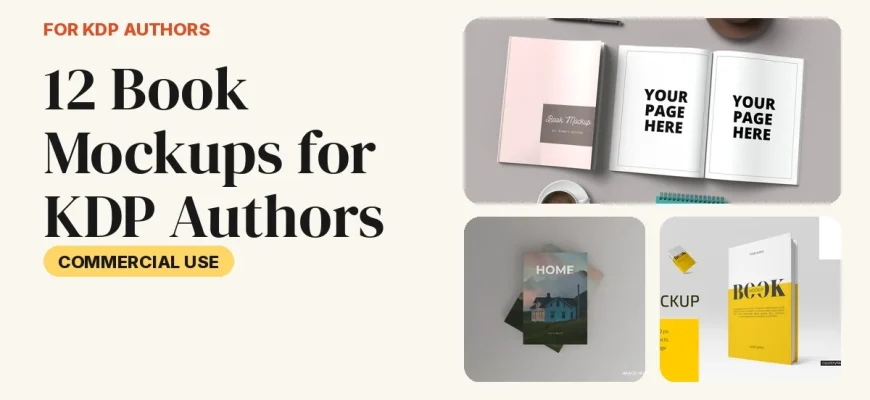
A book mockup design is the photo or template that shows your cover, or your interior pages, on a realistic book. For KDP authors and self-publishers it fills the gap the flat cover file leaves: pictures for Amazon A+ Content, social posts, ads, your own website and launch emails.
Below are 12 commercial-use book mockups from Creative Fabrica. We opened every product page on 19 November 2026 and copied only what the page states: the seller, the file format, the size and the license notes. If a detail is not on the page, we say so instead of guessing.
- Quick answer: which book mockup to pick
- What to check before you buy a book mockup
- 12 book mockups on Creative Fabrica
- 3D cover vs flat cover: which to use for KDP listings
- Trim sizes and spine width: what to prepare before you place the cover
- How to put your cover on a book mockup in 3 steps
- Commercial use: is it safe to sell with these mockups?
- FAQ
- Can I use these book mockups for my KDP marketing?
- Do I need Photoshop to use a book mockup?
- What size should my artwork be?
- What is a book mockup design?
Quick answer: which book mockup to pick
If you only want a shortlist, start with these three. Each one solves a different problem:
- Amazon A+ Content images: the KDP Book Mockup for 6×9 Books is a PDF with links to 45 Canva template layouts sized 1940×1200 px for the A+ Content header module. No Photoshop needed.
- Realistic photos in Photoshop: the Top View 8.5 X 11 Book Mockup PSD has open and closed books, wooden backgrounds and premade Amazon KDP A+ content, as PSD and JPEG files at 3000×2000 px with smart objects.
- A hardcover look: the Hardcover Book Mockup Set has two PSD files at 5000×3500 px with smart objects and a changeable colour.
What to check before you buy a book mockup
A good-looking preview is not enough. Before you pick a book mockup design for your launch, check these five things on the product page:
- File format. Six of the 12 mockups below are PSD files for Photoshop, five are Canva templates and one is a Figma bundle. Most of the Canva ones arrive as a PDF with a link to the template, so you finish the image inside Canva.
- Book format. Match the mockup to your book. The pages name 6×9 in and 8.5×11 in books, plus square, landscape and board-book shapes.
- Output size. Pixel sizes are stated for most: 3000×2000 px up to 5000×3500 px for the PSD files, 1940×1200 px, 1940×600 px and 600×600 px for A+ Content layouts, and 4096×4096 px for the Figma bundle. The Canva bundle of 37 gives none.
- Angles and shadows. Do you need a standing 3D cover, an open spread to show interior pages, or a flat top view? The cards below say what each preview shows.
- License. Every page we opened shows Creative Fabrica’s commercial license, and some sellers add their own limits. We quote those on each card.
12 book mockups on Creative Fabrica
All 12 are available through the Creative Fabrica subscription. The product pages say they are only available as part of it, with no separate price per item. Each card links to the product page, where you can read the full description and license.
KDP Book Mockup for 6x9 Books
- 45 Canva
- 1940×1200 px
- Commercial use
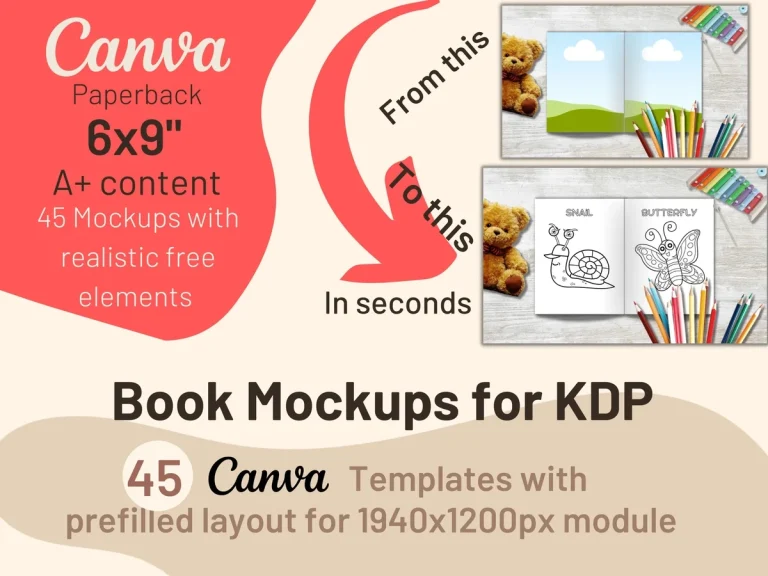
By AestheticByNathalie. You get a PDF with links to 45 Canva template layouts for the 1940×1200 px A+ Content header module, for 6×9 paperbacks. These are Canva layouts, not Photoshop files. The page shows the Creative Fabrica commercial license and a 5.0 rating from 7 reviews.
View on Creative Fabrica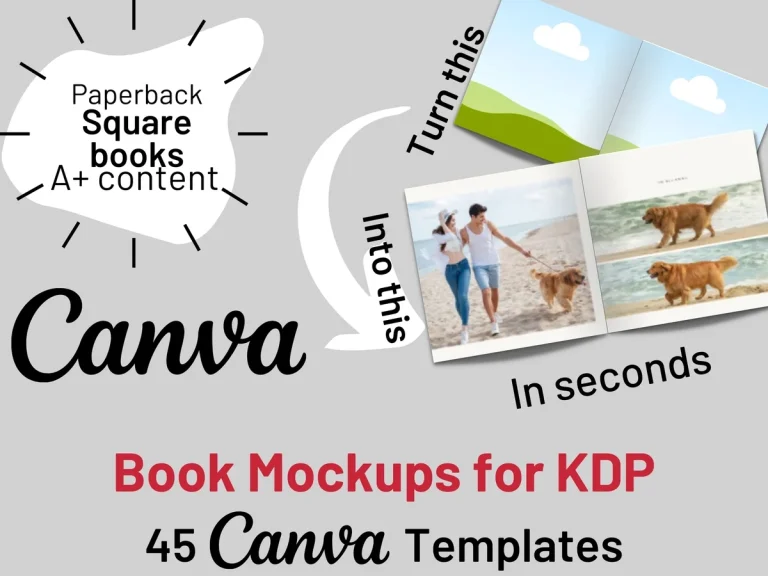
Paperback Square Book Mockup for KDP
- 45 Canva
- 1940×1200
- 1940×600
- 600×600 px
- Commercial use
By AestheticByNathalie. A PDF with links to 45 Canva layouts for square paperbacks: 15 each in 1940×1200, 1940×600 and 600×600 px A+ Content sizes. The page shows the Creative Fabrica commercial license and a 5.0 rating from 2 reviews.
View on Creative Fabrica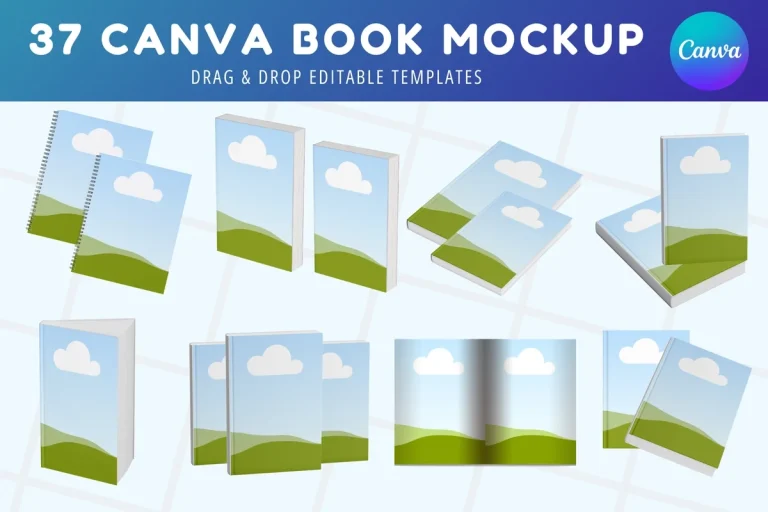
Canva Editable Book Mockup Templates
- 37 Canva
- Commercial use
By SnapyBiz. A bundle of 37 editable Canva book mockups for KDP promotion and book launches, shown at different angles. The page gives no pixel size. The page shows the Creative Fabrica commercial license and a 3.0 rating from 2 reviews.
View on Creative Fabrica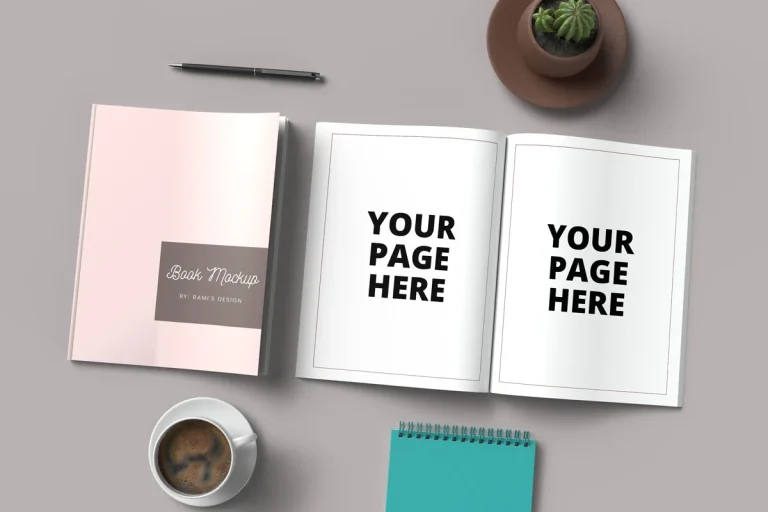
Top View 8.5 X 11 Book Mockup PSD
- PSD
- JPEG
- 3000×2000 px
- Smart Objects
- Commercial use
By Rami's design. Open and closed 8.5×11 books with wooden backgrounds and premade Amazon KDP A+ content. Photoshop is required. Seller note: files are not to be resold on any website or blog or given out as a freebie.
View on Creative Fabrica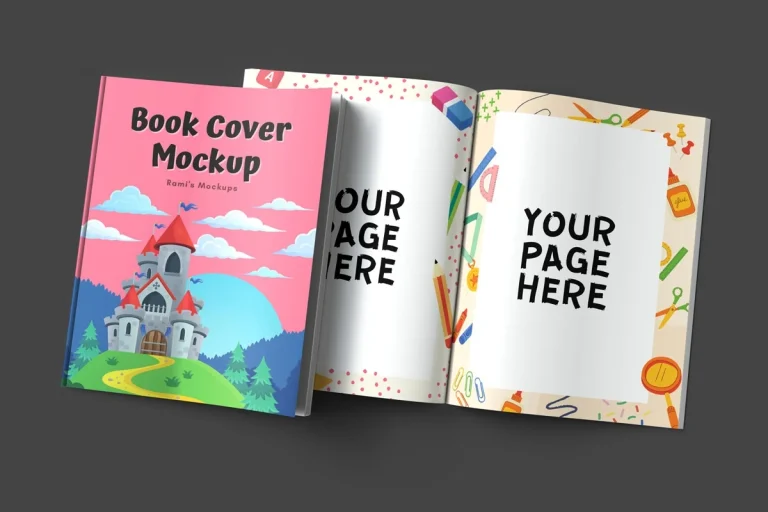
8.5 X 11 Open and Closed Book Mockup
- PSD
- JPEG
- 3000×2000 px
- Smart Objects
- Commercial use
By Rami's design. An 8.5×11 open and closed book with premade Amazon KDP A+ content. Photoshop is required. Seller note: files are not to be resold on any website or blog or given out as a freebie.
View on Creative Fabrica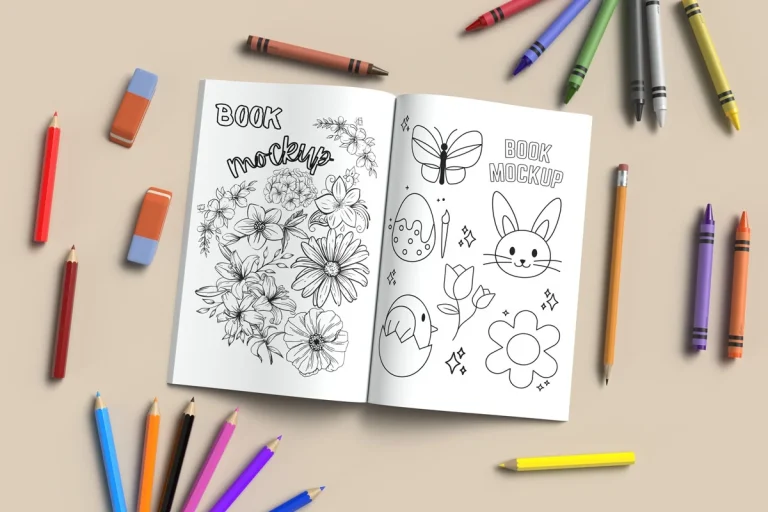
6 X 9 Inch Open Coloring Book Mockup
- PSD
- JPEG
- 3000×2000 px
- Smart Objects
- Commercial use
By Rami's design. An open 6×9 inch coloring book for interior pages. Photoshop is required. The page does not use the word commercial, so read its description and the Creative Fabrica license. Seller note: files are not to be resold on any website or blog or given out as a freebie.
View on Creative Fabrica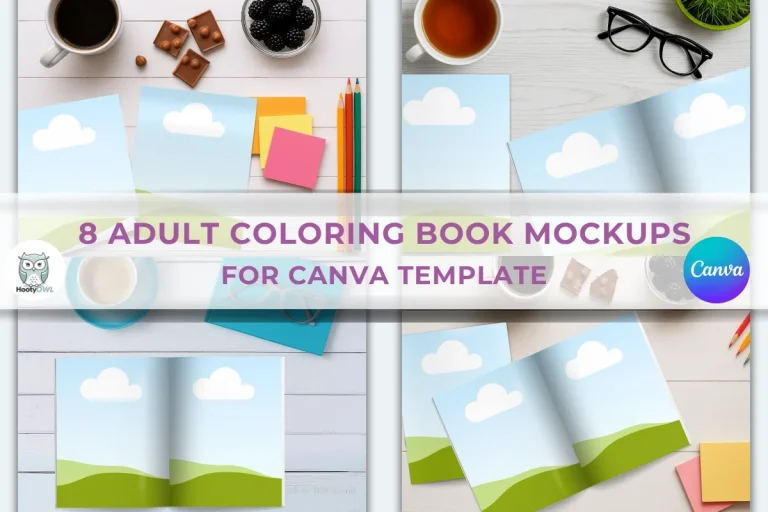
8 Adult Coloring Book Mockup - KDP
- 8 Canva
- 2700×2025 px
- Commercial use
By HootyOwl. A Canva template reached through a link in a PDF. Seller terms: you can use it to promote your own business, in digital or printed form, but you may not sell or distribute the template or use it to create other templates for commercial purposes.
View on Creative Fabrica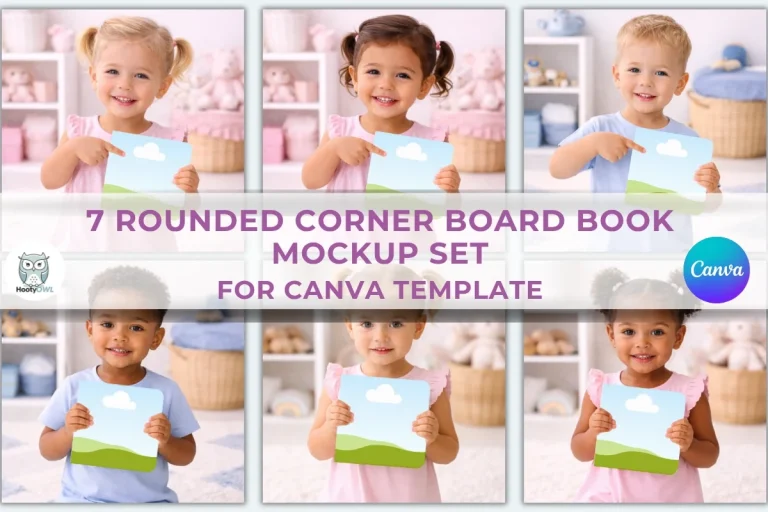
7 Rounded Corner Board Book Mockup Set
- 7 Canva
- 2000×2000 px
- Commercial use
By HootyOwl. Square baby board book mockups in a Canva template reached through a link in a PDF. Seller note: you can use it to promote your own business, in digital or printed form.
View on Creative Fabrica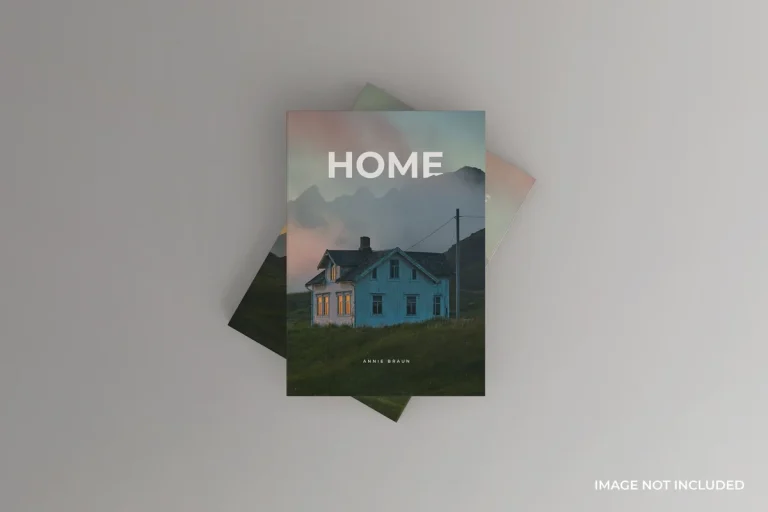
PSD Softcover Book Mockup
- PSD
- 4500×3000 px
- 300 DPI
- Commercial use
By neuvillestudio. One PSD with smart object labels, adjustable highlights and reflection and organised layers. It needs Photoshop CS6 or higher. The page shows the Creative Fabrica commercial license and no extra seller note.
View on Creative Fabrica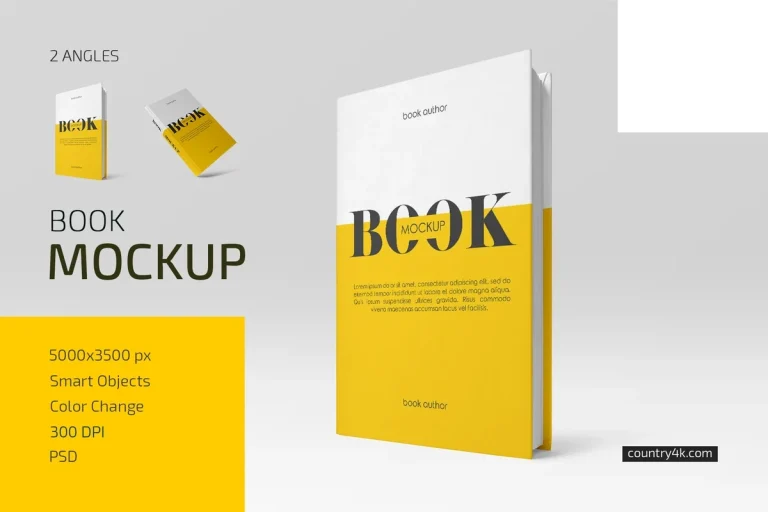
Hardcover Book Mockup Set
- 2 PSD
- 5000×3500 px
- Smart Objects
- Commercial use
By country4k. Two PSD files with smart objects, changeable colour and a help file. The seller says the preview images are not included. Listed in 2020. The page shows the Creative Fabrica commercial license and a 5.0 rating from 2 reviews.
View on Creative Fabrica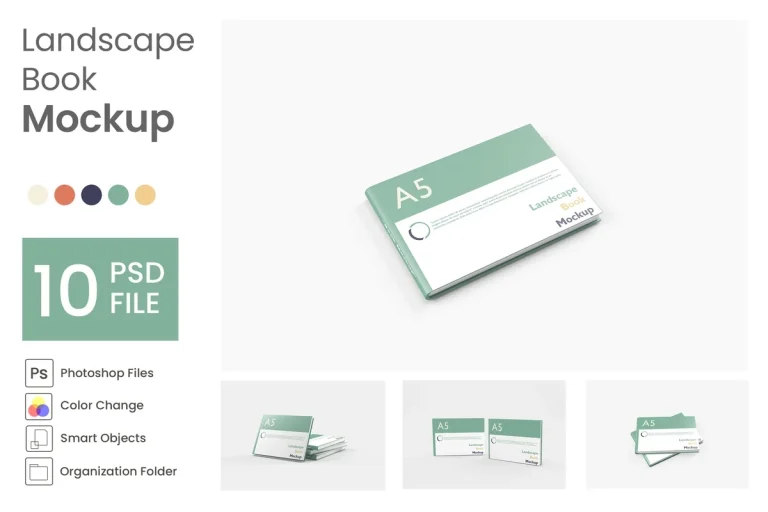
Landscape Book Mockup
- 10 PSD
- 3000×2000 px
- 300 DPI
- Commercial use
By tiyasprabawa. Ten PSD files with a changeable background colour, shadow adjustment and smart objects, for landscape-format books. The page shows the Creative Fabrica commercial license and no extra seller note.
View on Creative Fabrica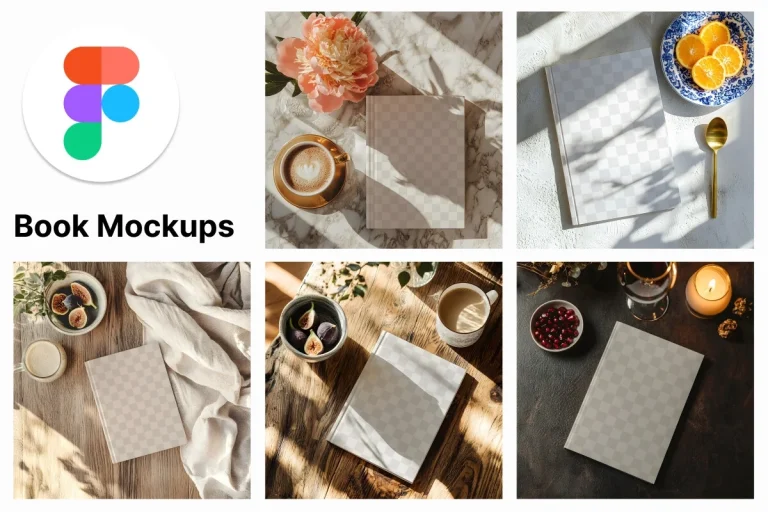
Book Mockup Bundle, Figma Book Mockup
- 5 Figma
- .FIG
- 4096×4096 px
- Commercial use
By Sprout Mockups. Five Figma book mockups, each 4096×4096 px, that you drag into a Figma draft. It works in the browser and needs no extra software. The seller describes it as suited to client work and personal projects.
View on Creative Fabrica3D cover vs flat cover: which to use for KDP listings
The cover file you upload to KDP is a flat, print-ready file. A 3D mockup is a different picture, made for marketing: A+ Content, social posts, ads, your website or a launch email. Check Amazon’s current KDP image rules before you put a mockup in your listing.
- Standing 3D cover. Shows the book as an object. The PSD Softcover, Hardcover Set and Landscape mockups are examples.
- Open book. Shows interior pages, which suits coloring, activity and journal books. The 6×9 Open Coloring Book, the 8.5×11 Open and Closed and the Top View mockups are built for this.
- A+ Content layouts. The two AestheticByNathalie sets are not photos of one book. They are Canva layouts sized for A+ Content modules, with the seller aiming them at low-content and high-content authors.
Trim sizes and spine width: what to prepare before you place the cover
KDP offers several trim sizes. The pages we checked name only 6×9 in (the KDP 6×9 set and the 6×9 Open Coloring Book) and 8.5×11 in (the two Rami’s design mockups). Pick the mockup that matches your trim size so the proportions look right.
- Have your front cover as an image file. In most of these mockups you place a flat front-cover picture, so you do not need the full wrap-around cover.
- Spine width depends on your page count and paper type. Use KDP’s own cover calculator instead of a number from a mockup page.
- Check whether the mockup shows a spine. If your book is thin, a mockup with a thick spine can look wrong.
How to put your cover on a book mockup in 3 steps
- Open the mockup. For a PSD, open it in Photoshop. For a Canva mockup, open the PDF you receive and click the Canva link, then choose “Use Template For New Design” (the HootyOwl pages describe this). For the Figma bundle, drag the .FIG file into a Figma draft.
- Add your cover. In a PSD with smart objects, double-click the smart object, place your cover and save it. In Canva, drag and drop your cover image into the frame. In Figma, replace the placeholder with your artwork.
- Export and use it. Download the result as a JPG or PNG (the KDP 6×9 page says to download as PNG or JPG). Keep your original cover file separate from the finished marketing image.
Commercial use: is it safe to sell with these mockups?
Every product page we opened shows “Every download & purchase includes our commercial license” and links to Creative Fabrica’s license terms. The subscription banner on each page also says “Personal, Commercial and POD use of files included”. In practice, that covers using the mockup to make marketing images for your own books. The sellers then add their own notes, and those differ:
- The three Rami’s design mockups say the files are not to be resold on any website or blog or given out as a freebie.
- The 6×9 Open Coloring Book seller describes use as displaying your artwork and designs and never uses the word commercial, so read its page and the Creative Fabrica license before you rely on it.
- The 8 Adult Coloring Book seller lets you promote your own business, in digital or printed form, but you may not sell or distribute the template, or use it to create other templates for commercial purposes.
- The 7 Rounded Corner Board Book seller says you can use the template to promote your own business, digital or printed.
- The Figma bundle seller calls it suited to client work and personal projects. Most of the other pages show only the Creative Fabrica license and no extra seller note.
A quick checklist before you list:
- Commercial use is included on the product page.
- The page allows POD or print-on-demand use, or your use fits the seller note.
- You will not resell or share the mockup file or template itself.
- You have read the seller’s note, if there is one.
Licenses can change, so confirm on the product page before you publish. This is not legal advice.
Mockup license FAQ
Can I use these mockups for products I sell?
It depends on the license of each individual product. Always read the license on the Creative Fabrica product page before you use a mockup in a listing. We link every mockup so you can check.
What does the “Commercial use” badge mean?
It marks mockups that, at the time we checked, were listed with a commercial-use license. Licenses can change, so confirm on the product page before you publish.
Can I resell or redistribute the mockup file itself?
Generally no. Commercial licenses usually cover using the mockup in your own images, not reselling the source file. Check the license terms of the specific product.
Do I need to credit the creator?
Check the product license; requirements differ between creators.
Are these affiliate links?
Yes. If you buy or subscribe through our links we may earn a commission at no extra cost to you. See our Affiliate Disclosure.
FAQ
Can I use these book mockups for my KDP marketing?
Every page we opened shows Creative Fabrica’s commercial license, and the subscription banner says “Personal, Commercial and POD use of files included”. Several sellers add limits on reselling or sharing the files, which we quote on each card. Read the seller note on each card and on the product page before you publish.
Do I need Photoshop to use a book mockup?
Only for six of them. Those are the PSD files (the three Rami’s design mockups, PSD Softcover, Hardcover Set and Landscape). Five are Canva templates and one is a Figma bundle, so they need a Canva or Figma account instead. The HootyOwl, AestheticByNathalie and Sprout Mockups pages describe a free Canva or Figma account.
What size should my artwork be?
Use your front cover at the highest resolution you have. The pages state mockup sizes of 3000×2000 px (the three Rami’s mockups and Landscape), 4500×3000 px (PSD Softcover), 5000×3500 px (Hardcover Set), 4096×4096 px (Figma), 2700×2025 px, 2000×2000 px and the A+ Content sizes 1940×1200, 1940×600 and 600×600 px. Those are mockup image sizes, not cover sizes.
What is a book mockup design?
A book mockup design is a photo or template of a blank book that you use to show how your cover or pages will look in print. Authors use it for A+ Content, social media and launch images before readers hold the book.